Solo Dining App Design
SoloTable
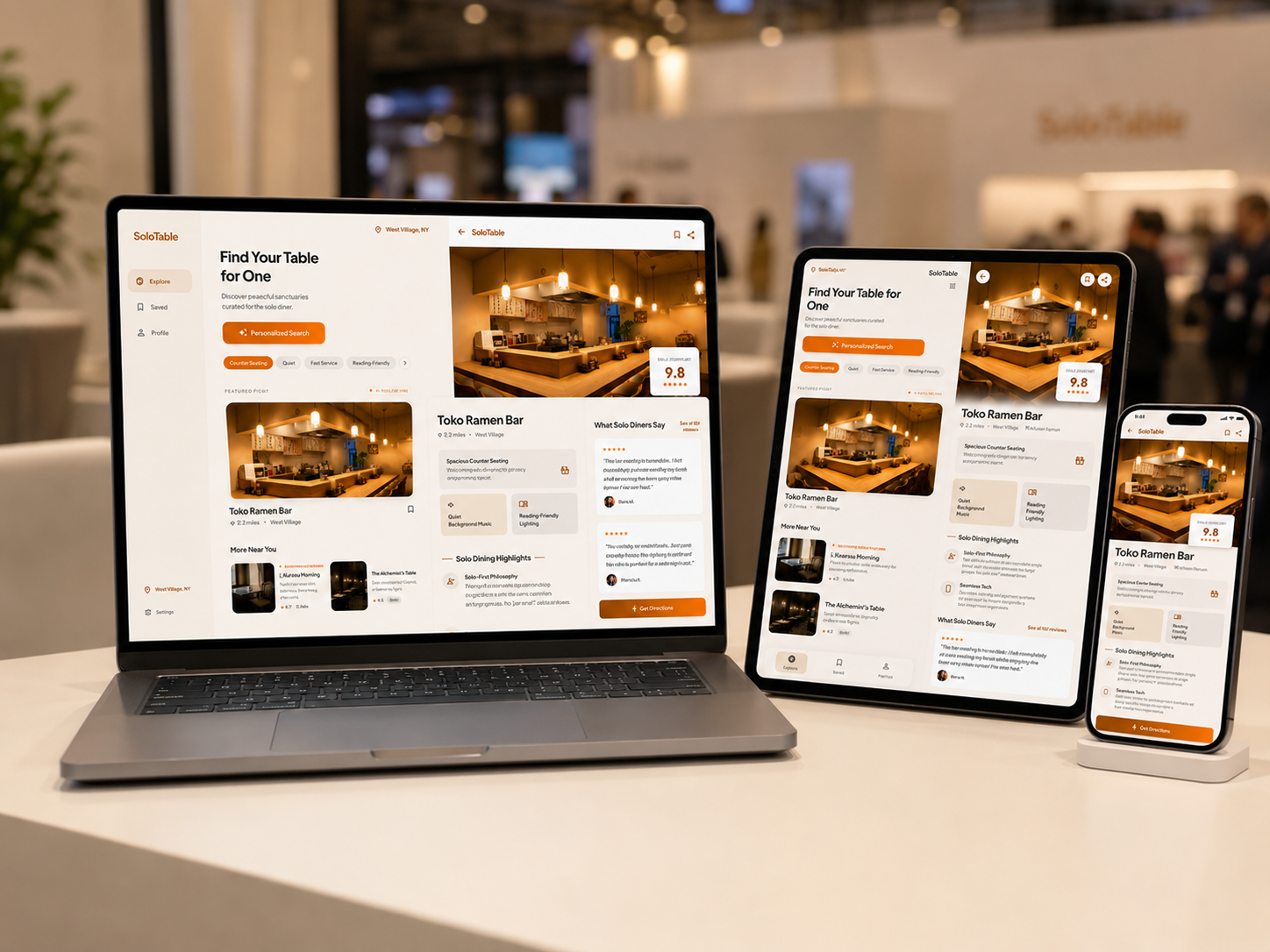
SoloTable is a mobile restaurant discovery app designed to help solo diners find places that feel comfortable, calm, and easy to choose. It focuses on atmosphere, seating type, wait time, and solo friendly reviews instead of only ratings and distance.
The Problem
Solo dining is not only about eating alone. Many people feel watched, awkward, rushed, or unsure when choosing a restaurant by themselves. Standard restaurant apps rarely explain whether a place actually feels comfortable for one person.
User Insight
Solo diners need fast and emotionally safe decisions. They want to know if a restaurant has counter seats, quiet corners, short wait times, friendly service, and an atmosphere where being alone feels normal.
Design Goal
Create a calmer way to choose a table for one.
Workflow Map
Locate → Personalize → Filter → Inspect → Validate → Commit
View nearby solo friendly restaurants.
Set dining mood and preference.
Refine by seating, quietness, and wait time.
Review restaurant details and solo score.
Read solo diner reviews.
Save the spot or go there.
Personas
Primary users and decision context.

Nora Lin
A college student who often eats alone between classes and wants a calm restaurant where she can read, work, and feel comfortable.
Quote: “I want a calm place where I can eat alone and feel comfortable.”

Yuna Kim
A 19 year old first year student who wants safe, affordable, and quiet spaces after class or study sessions.
Quote: “I want a place where I can eat and study without feeling awkward.”

Hiroshi Tanaka
A 48 year old office worker who often eats alone after work and needs quiet ambiance, counter seating, and predictable service.
Quote: “After work, I want a quiet meal where I can sit alone comfortably.”

Margaret Ellis
A 77 year old retired English immigrant who wants accessible, quiet restaurants with warm service and comfortable seating.
Quote: “I like eating alone, but I still want to feel welcomed.”
Visual System
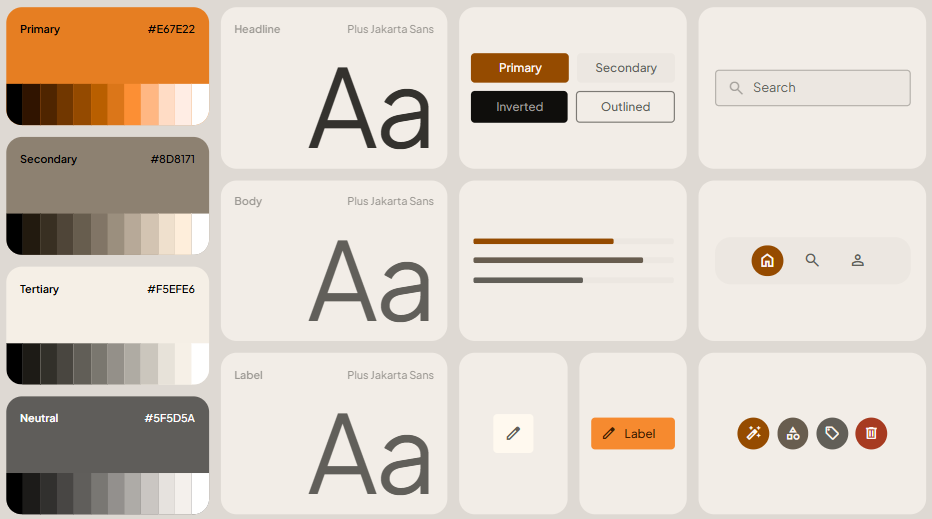
System Direction
The system uses a focused color palette, strong hierarchy, rounded product surfaces, and large visual anchors so viewers can understand the product quickly without clicking through a prototype.
Key Screens
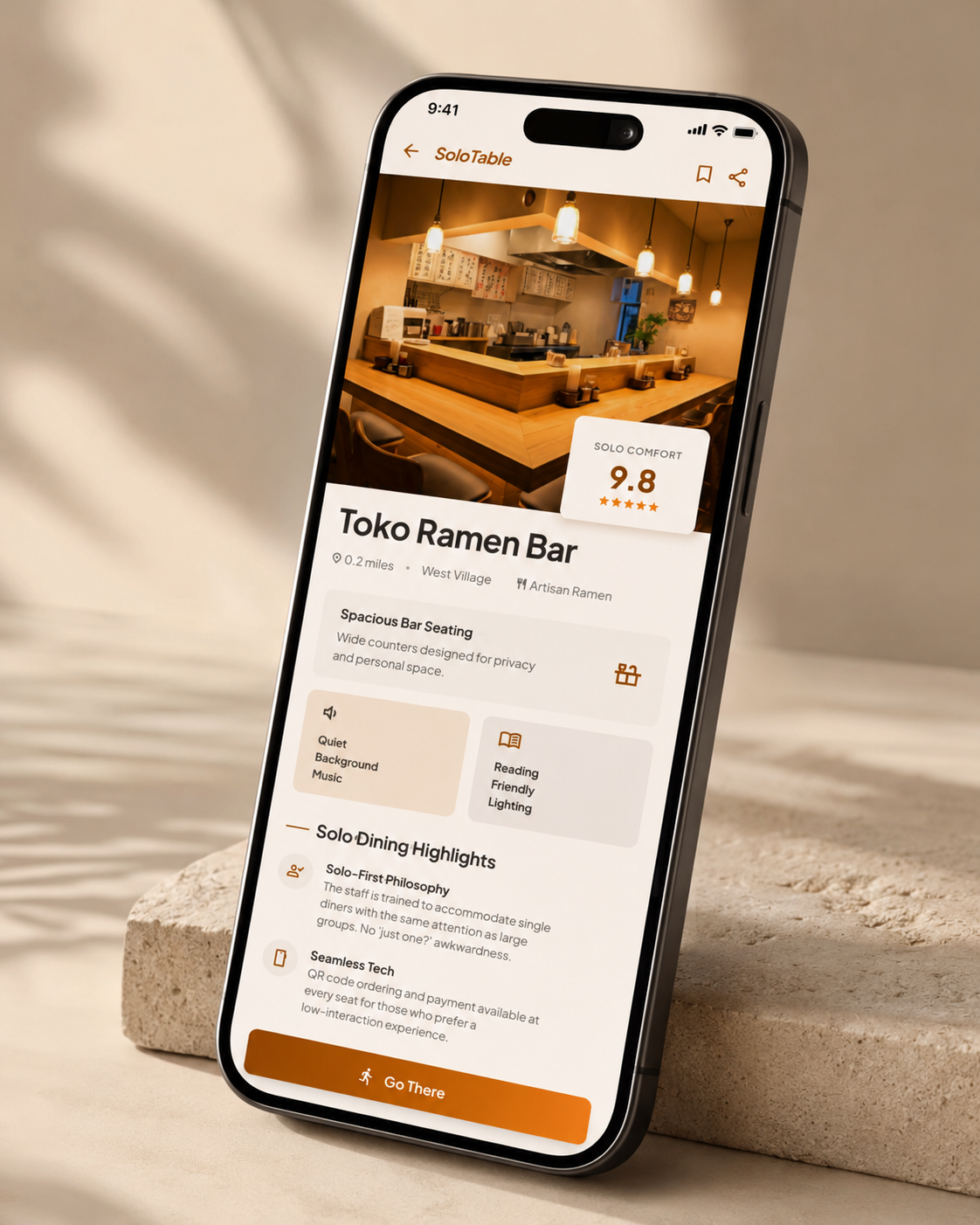
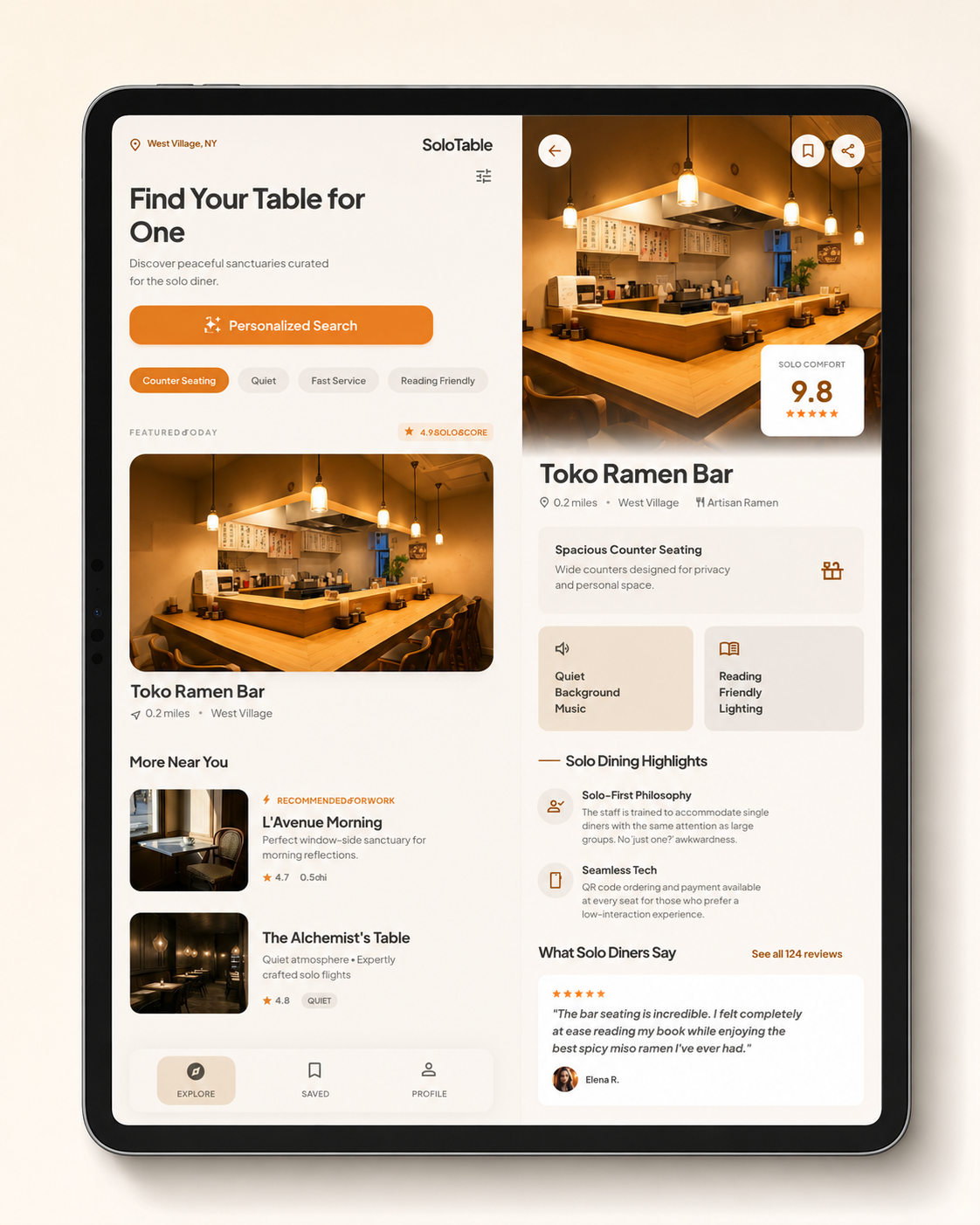
Final interface moments.
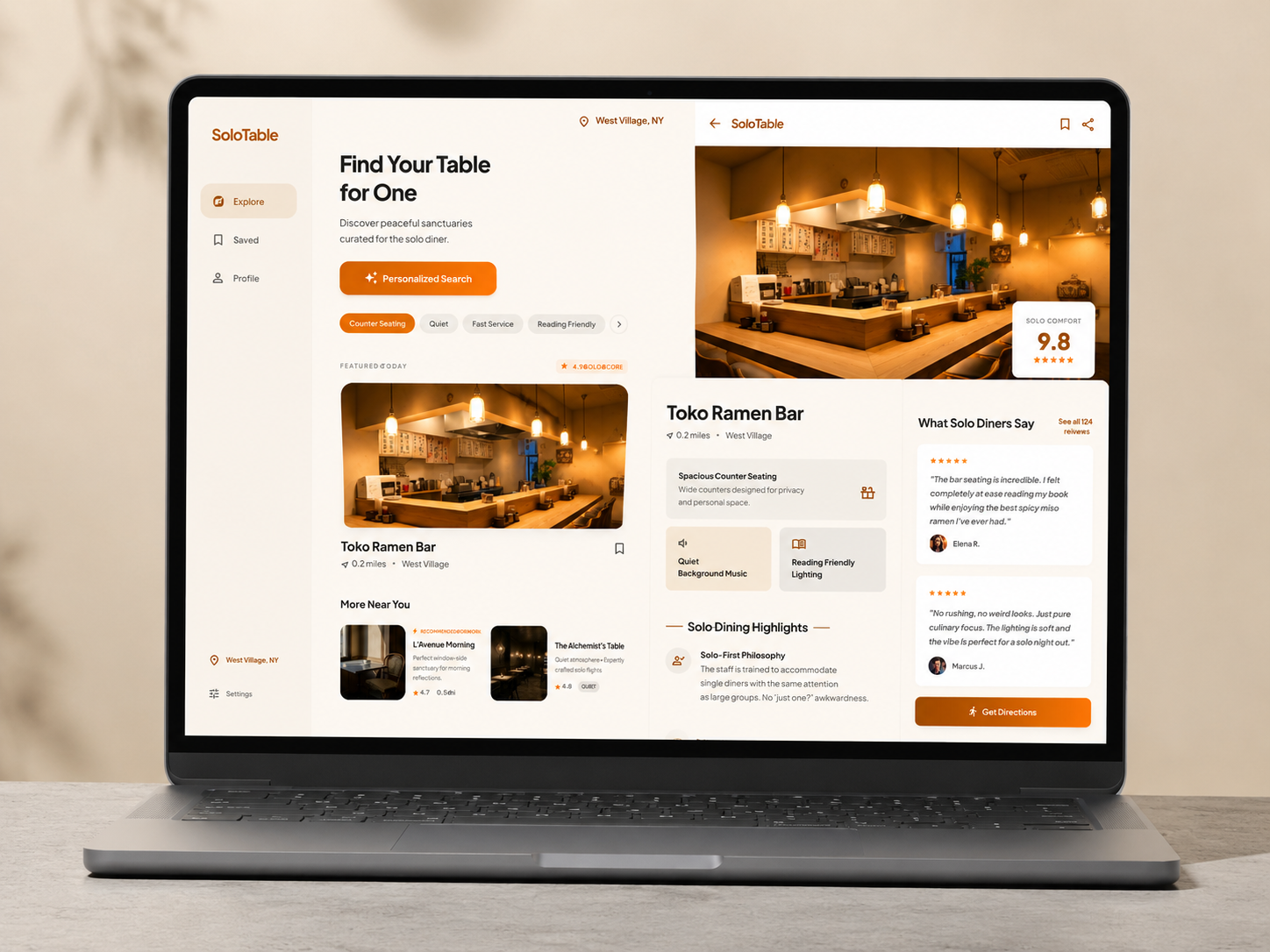
Final Outcome
The final design turns the concept into a clear product story with stronger hierarchy, more direct interaction, and a more memorable visual identity.